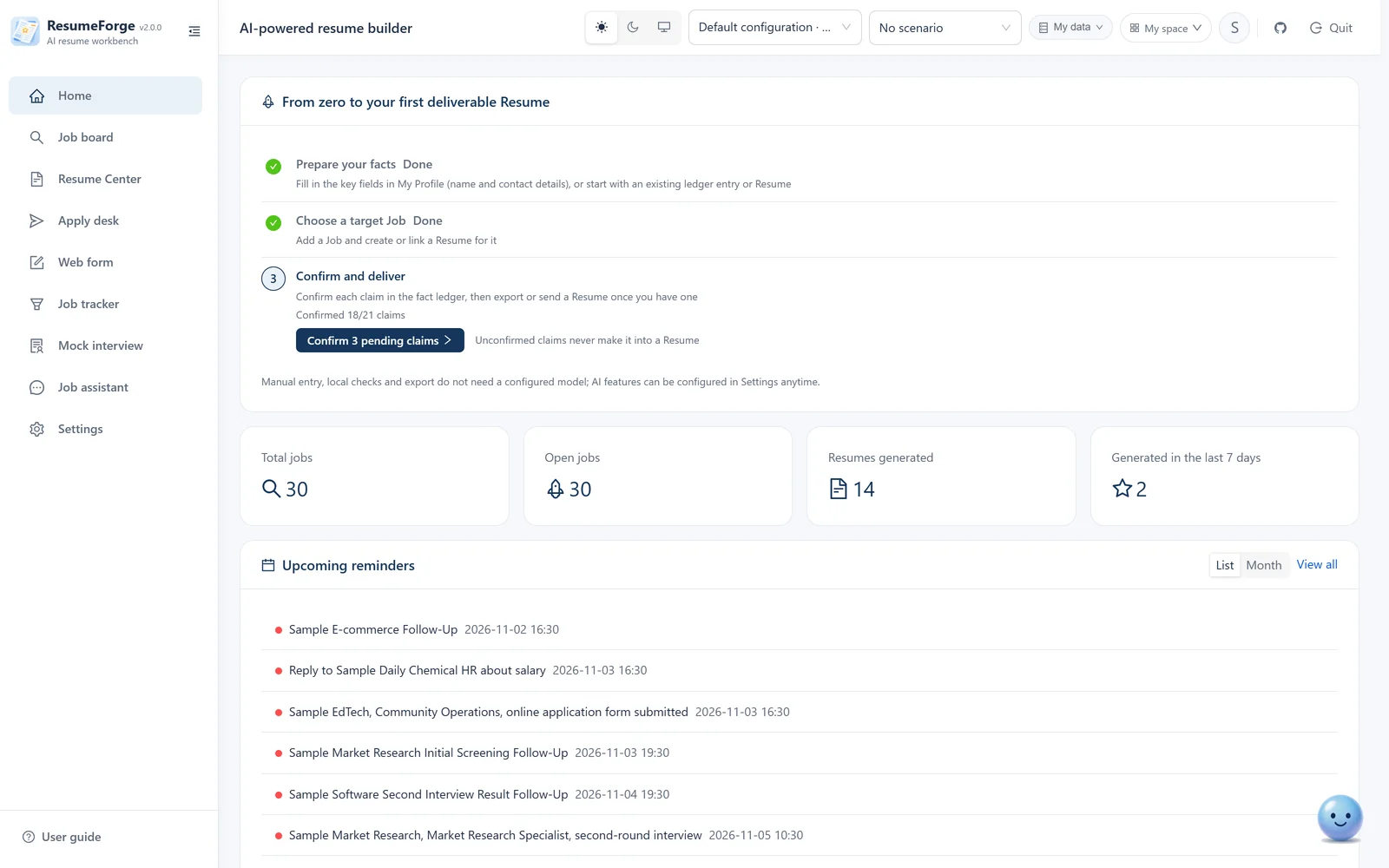
This page is not connected to a real model. The interface is real, the data is fictional and the AI replies are pre-recorded — whatever you type, you get the same answers. To run it for real, download the full version.

Live demo · real interface · fictional data · no model attached

Try it first, then decide whether to install.

This is a demo that needs no installation: the interface comes from the current code (2.0.0), which is what the download section ships, and the job data is fictional.
It is not connected to a model — the AI parts are pre-recorded replays, so whatever you type you will not get a new answer.

Why not run it live? Because running it for real would put your resume, your jobs and your model key on someone else's server, which is exactly what this tool was built to avoid — ResumeForge is installed on your own machine, with data that never leaves it. So this page keeps only a demo shell, and the real thing stays on your computer.

ResumeForge · live demo (clickable) Fictional data · no real AI
The ResumeForge home workbench: quick actions, upcoming reminders, recent jobs and recent resumes
Loading the demo — the first open downloads the frontend, which takes a few to a dozen seconds…

The block above is a real, clickable demo instance: real interface, fictional data, pre-recorded AI. Use the steps on the left to jump to a page, or click around freely — nothing you do changes the demo data. On a small screen, use Full screen in the top-right to fill the window.

Look closely first

What is missing is not a few features — it is whether it can really do the work.

Every row below is a fact. The demo's value is getting used to the interface and the flow; when you actually send resumes out, that is the full version.

Capability Live demo Full version (installed on your computer)
Model Not connected; replies are a pre-recorded replay, no conversation Your own model endpoint, real streaming generation and analysis
Data All fictional demo data, and read-only Your own resumes, jobs and progress, editable at any time
Resume output Layout only, no files Export PDF / Word / HTML / Markdown / plain text / JSON / image (PNG), with watermarks and one-click redaction
Apply desk Unavailable (it drives a browser on your own machine) Really submits; failures are diagnosed by category and repeated failures trip a breaker
Fact ledger You can see the structure but cannot fill it in AI breaks your experience into verifiable entries, and unconfirmed claims never reach the resume
Interview preparation You can only see what a question looks like The rubric is locked before the question, evidence status replaces a subjective score, with multi-round probing
Data ownership On this demo site On your own computer only; resumes and photos never leave it
Cost Free Free as well: Apache-2.0, with only your own model usage to pay for

Download the full version

This is the build that does the work.

Apache-2.0 licensed, free, no account needed. Once installed, your resumes, jobs and progress stay on this machine only.

Windows 10 / 11 and macOS

  1. Download and unzip

    One-click installers for Windows (exe) and macOS (dmg); or take the portable archive (about 27–29 MB with source and docs, no personal data) and extract it anywhere — both routes also allow cloning the source from GitHub.

  2. Double-click the launcher

    On Windows double-click start.cmd; on macOS double-click start.command. The launcher prepares Python and Node.js, installs dependencies, starts the backend and frontend and opens the browser (macOS needs no Homebrew). When it fails it gives the reason and a command you can paste.

  3. Enter your own model endpoint in Settings

    Only after this step does AI really start working for you — analyzing jobs, generating resumes, running mock interviews. Without it the local features still work: maintaining your profile, managing jobs, writing resumes by hand and exporting.

  • The first launch needs a network connection to prepare the Python and Node.js runtimes, usually a few minutes; day to day it does not.
  • The database is created at backend/data/resume_forge.db, on this machine only; export a copy under Settings → Data before moving to another computer.
  • The backend listens on port 8005 by default; when it is taken use start.cmd -BackendPort 8010 (macOS: bash start.command --backend-port 8010); stop it with stop.cmd / stop.command.
  • Trouble downloading? You can also take the archive straight from GitHub Releases.
Read the full install and usage docs

Still growing

This is not a project that gets shipped and forgotten.

Features keep being added and awkward parts keep being fixed. Your feedback directly shapes the next version.

Under active development

Recent releases fix problems users actually run into. The full changelog lives in the repository; the commits and release notes there are authoritative.

  • v2.0.0 Fresh database and full-archive migration: on first launch the old database is archived as a whole before a new empty one is created; 1.x data is not carried into 2.0; the supplementary-facts module is retired; the pre-update snapshot is now a full archive; unlimited page length is fixed.
  • v1.0.2 Drag-and-drop ordering rebuilt: long Sections move about 18× faster across slots, with transition animations and up/down buttons on the handle; the sample dataset covers every main page and is reused idempotently; the desktop app auto-installs updates; pasted-text extraction is more accurate
  • v1.0.1 Full-feature audit and fixes: bulk job deletion became a soft delete (restorable from the trash), late-night care copy contrast, keyboard access to empty tables; macOS got a desktop installer (dmg) for the first time
  • v1.0.0 First stable release: fixes data loss when upgrading from the 0.18.0 installer, cross-site protection for export and save locations, a download entry for delivery archives
  • v0.17.0 Relaxed mode for web form filling, 61 assistant tools, batch match analysis carried in the URL
  • v0.16.0 Assistant tools for match records, interview experiences and referrals; the resume template workbench; bulk selection

Suggestions or questions?

If a step feels awkward, you want a feature, or you hit an error, open an issue. Searching whether someone already raised it is a good first move.

  • For bug reports, attach the redacted diagnostic export from the app — it makes diagnosis much faster;
  • For feature requests, describe what you were trying to get done; that is more useful than asking for a button;
  • The maintainer replies as soon as possible, and frequent questions from the group feed back into the docs.

A star helps more than you would think

This project has no marketing budget; it spreads because people who are job hunting see it. A star is the most useful recommendation.

Replies too slow? Ask in the group

People discuss usage, request features and report problems in the group, and the next version's plans are announced there first. The group files also mirror the full installer — handy when GitHub downloads are slow.

Group number 922830167

QR code for the ResumeForge QQ group 922830167
Scan to join the group